Native menus, windows and editing
Swift, AppKit and SwiftUI connect directly to Finder and macOS permissions, sharing and window behavior.
A small native macOS app for creating, processing and organizing files and images from Finder.
Swift, AppKit and SwiftUI connect directly to Finder and macOS permissions, sharing and window behavior.
No embedded web app, account or background crawl. Open it, do the work and get back to your task.
Creation, image processing and OCR do not go through a remote service; Finder acts only when you ask.
01 / FINDER FIRST
No editor detour, no Save As hunt and no guessing the destination. FileMint puts the action back in the place where you are already working.
The desktop background and authorized Finder folders are both first-class entry points.
Text, Markdown, JSON, Swift, HTML, CSS and Shell are ready when you need them.
Finder enablement and folder authorization stay separate. Nothing expands its scope silently.
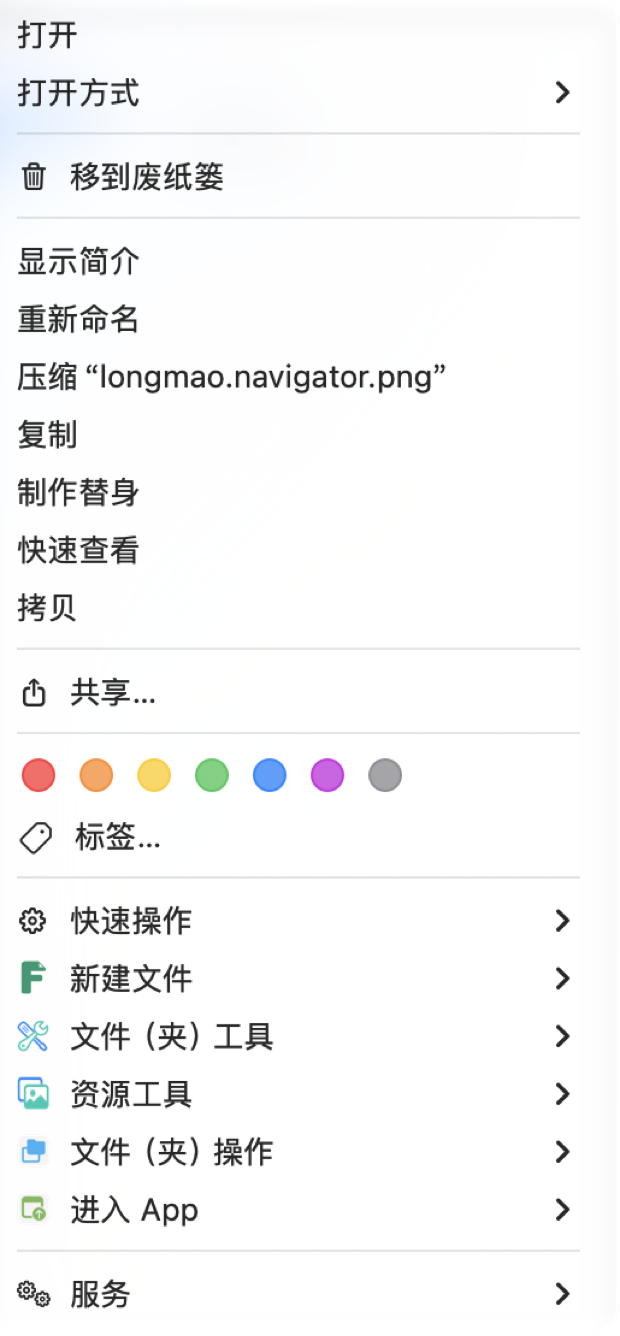
New File creates. File & Folder Tools acts on selected items. Resource Tools handles images. Optional modules start off, and enabling them does not turn the menu into one long list.
02 / CREATE WITH CONTEXT
Set the full filename, suffix, destination and starter content in one place. Begin with a real Markdown draft instead of creating an empty file first.
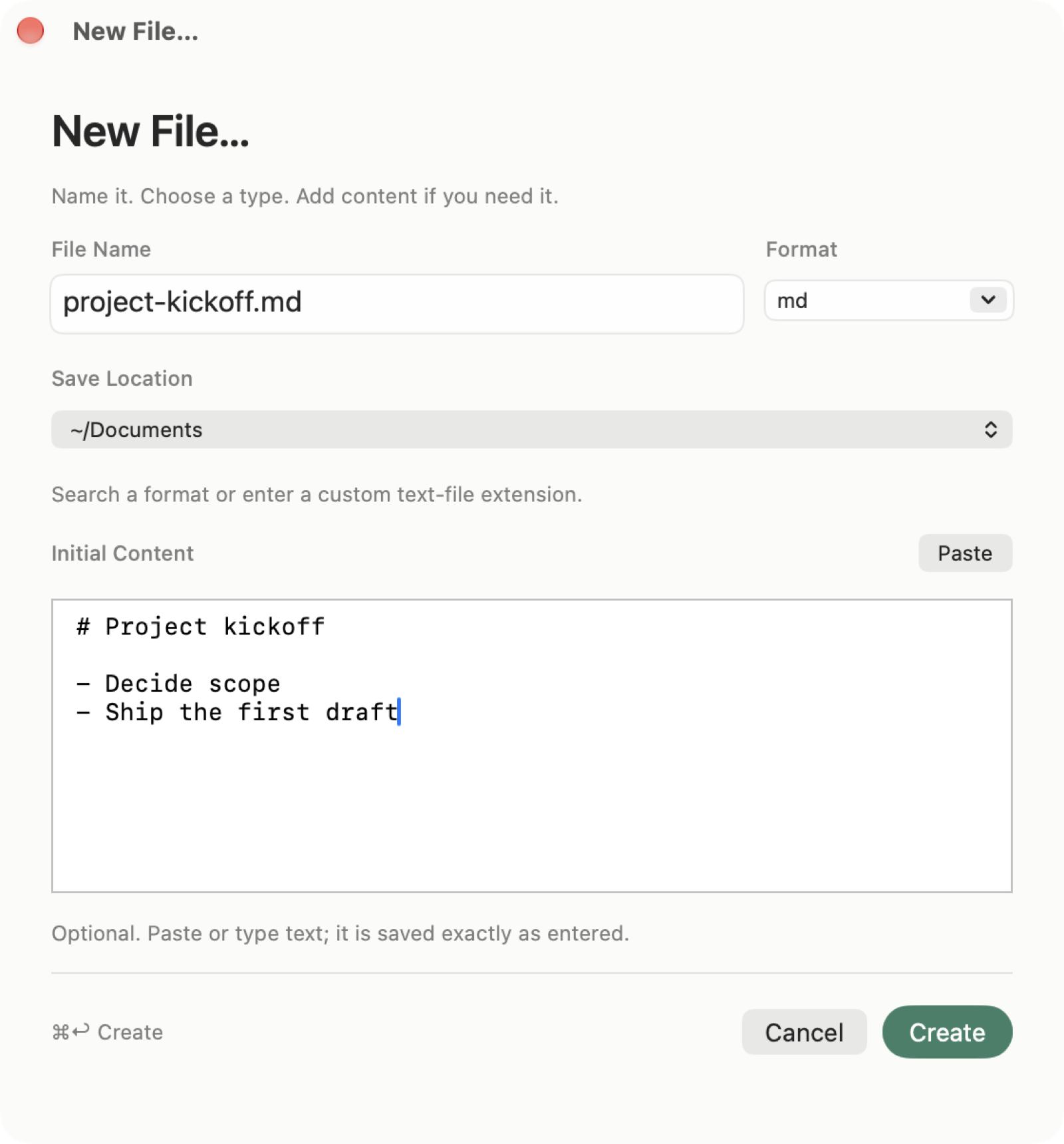
Enter project-kickoff.md, paste the first lines and create it. Naming, location and content stay in one path.
03 / RESOURCE TOOLS
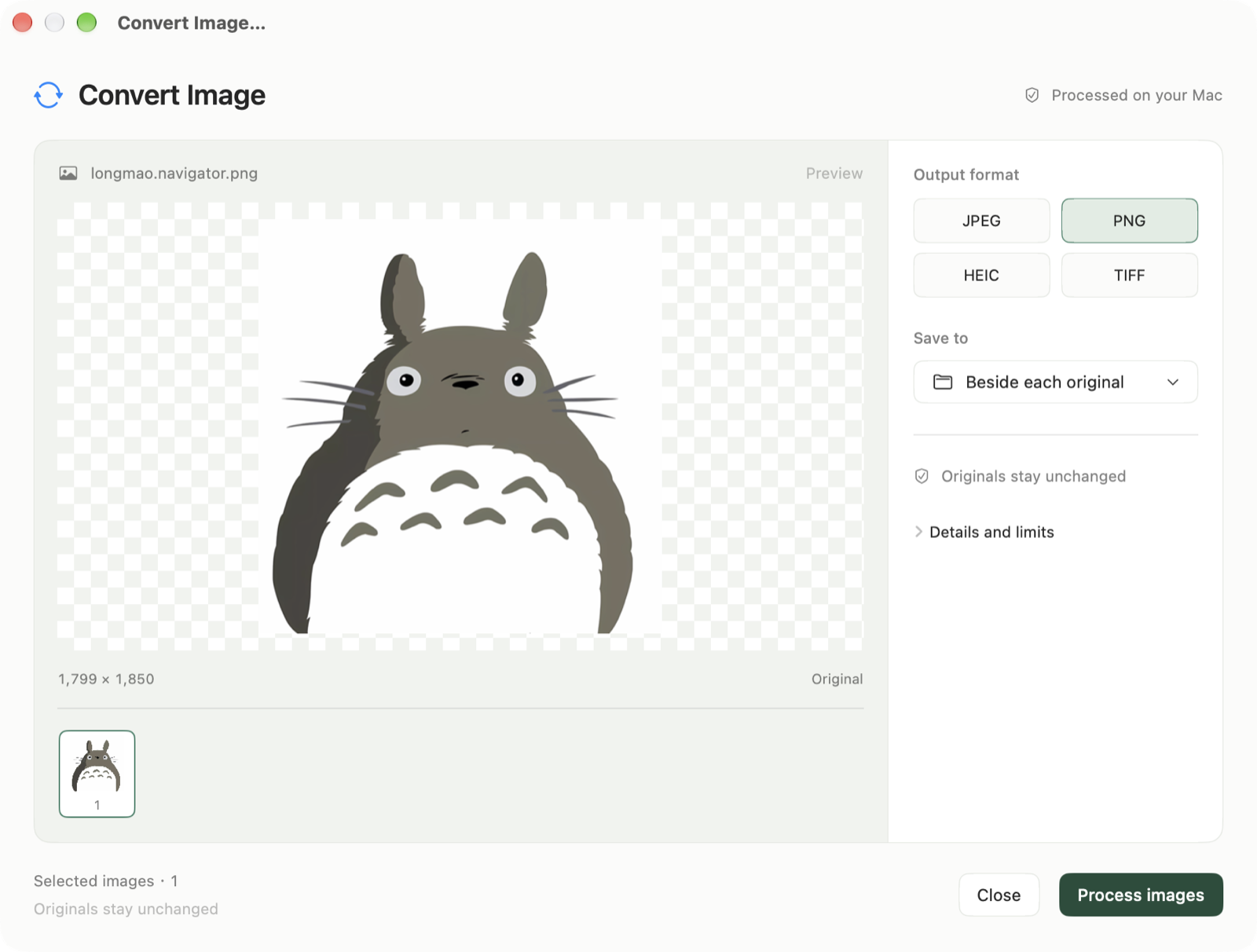
Select images, choose Resource Tools from Finder, or start from the FileMint app. Six tools share one local panel for preview, parameters and output.
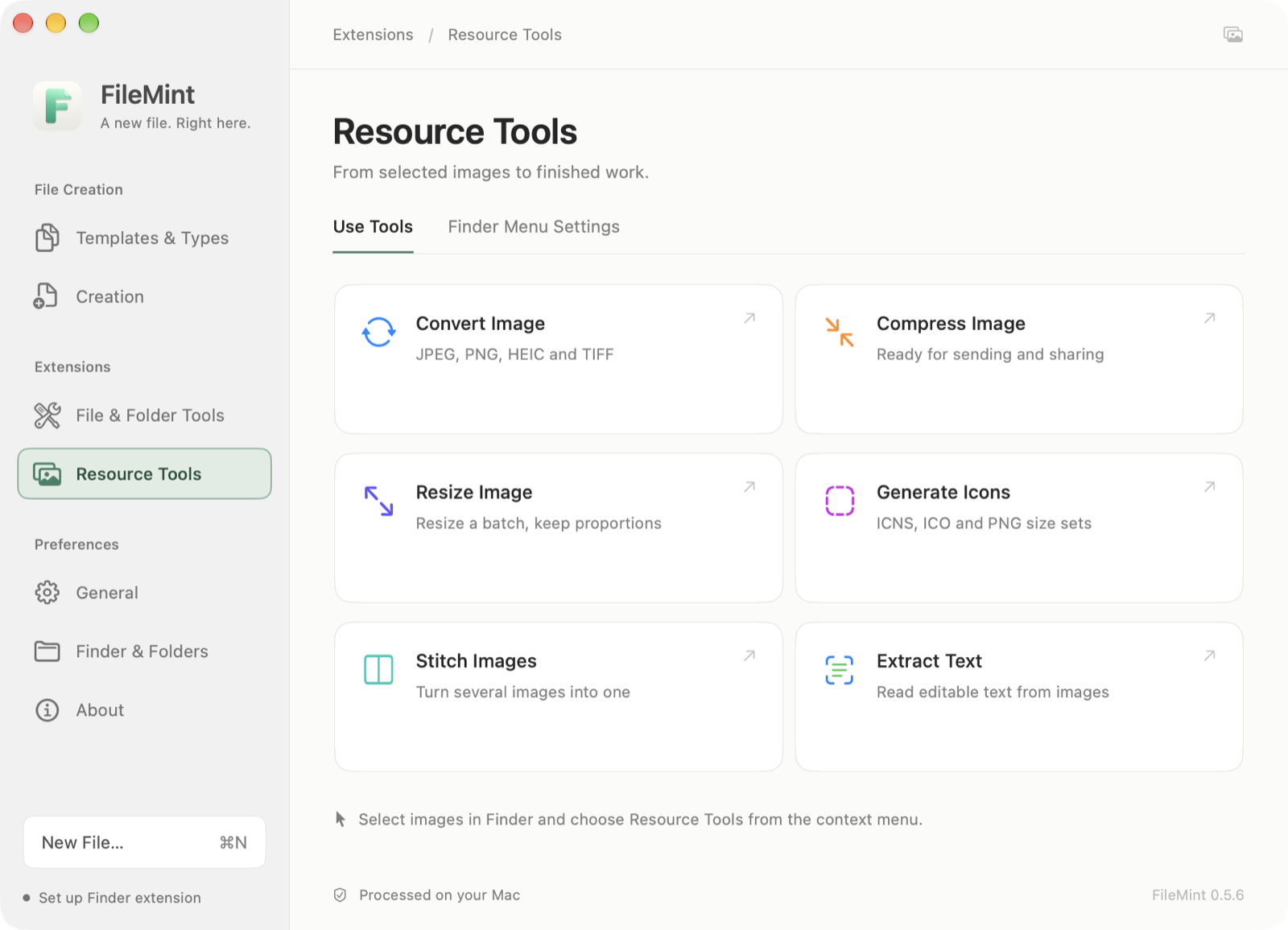
The panel below uses longmao.navigator.png. Output format, destination and original preservation are visible before you run anything; the image never leaves your Mac.
Preview first. Process when ready. Originals stay unchanged.
04 / FILE & FOLDER TOOLS
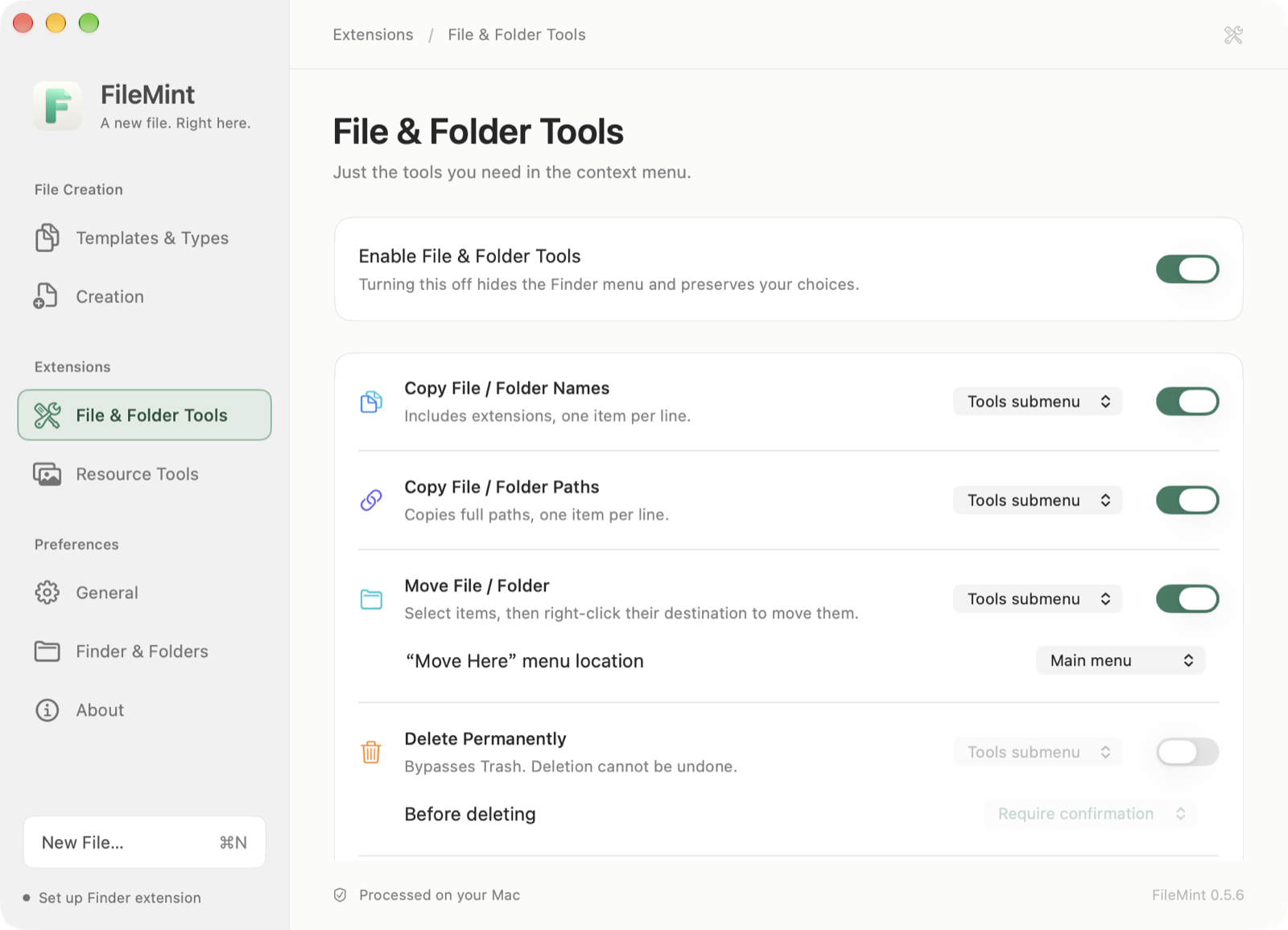
File & Folder Tools starts off. Once enabled, each action can live in Finder's main menu or the tools submenu; New File remains independent and uncluttered.
05 / A QUIETER NATIVE UI
The current version uses a persistent sidebar for creation, extensions and preferences. Templates & Types, Creation, File & Folder Tools, Resource Tools, Finder & Folders and About each have a clear home.
Creation, extensions and preferences do not collapse into one long settings page.
Resource Tools and File & Folder Tools can be turned off without changing existing creation settings.
Chinese, English, light and dark appearances share the same native window and controls.
06 / LOCAL BY DEFAULT
FileMint keeps permission, network and file-processing boundaries explicit, so you know when it works and when it does not.
File creation, conversion, compression, resizing, stitching and OCR run on your Mac.
No sign-in, usage analytics, background file enumeration or file-content reads.
The main app reaches GitHub only when you check for or download an update. The Finder extension stays offline.
07 / TODO
Only unfinished directions belong here. Delivered capabilities do not get repackaged as roadmap promises.
Read the implementation roadmap or share a use case on GitHub.
For macOS 13+, Apple silicon and Intel. Developer ID signed and Apple notarized; first use still follows macOS prompts for Finder enablement and folder authorization.